


Microsoft is preparing to release the Windows 11 23H2 update, also known as the "Moment 4" update, on September 21, 2023, at the Surface event in New York. This update, with OS build number 22631, is expected to introduce significant features and improvements to Windows 11. These features are currently being tested on Windows 11 Dev and Release Preview channels.
While it's not officially confirmed, there is speculation that Windows 11 23H2 might be the last feature update for Windows 11, with Windows 12 anticipated for release in 2024. In this article, we will explore the key features of the Windows 11 23H2 update, highlighting the changes and enhancements it brings to the Windows 11 experience.
Windows 11 23H2: Best New Features
1. AI-powered Windows Copilot

2. Redesigned File Explorer
The Windows 11 23H2 update builds upon the tabbed File Explorer introduced in the previous 22H2 update. This time, Microsoft is enhancing the File Explorer further by rewriting certain elements in XAML, including the homepage, header, address bar, and details pane. This effort aims to modernize the File Explorer user interface by eliminating legacy components.
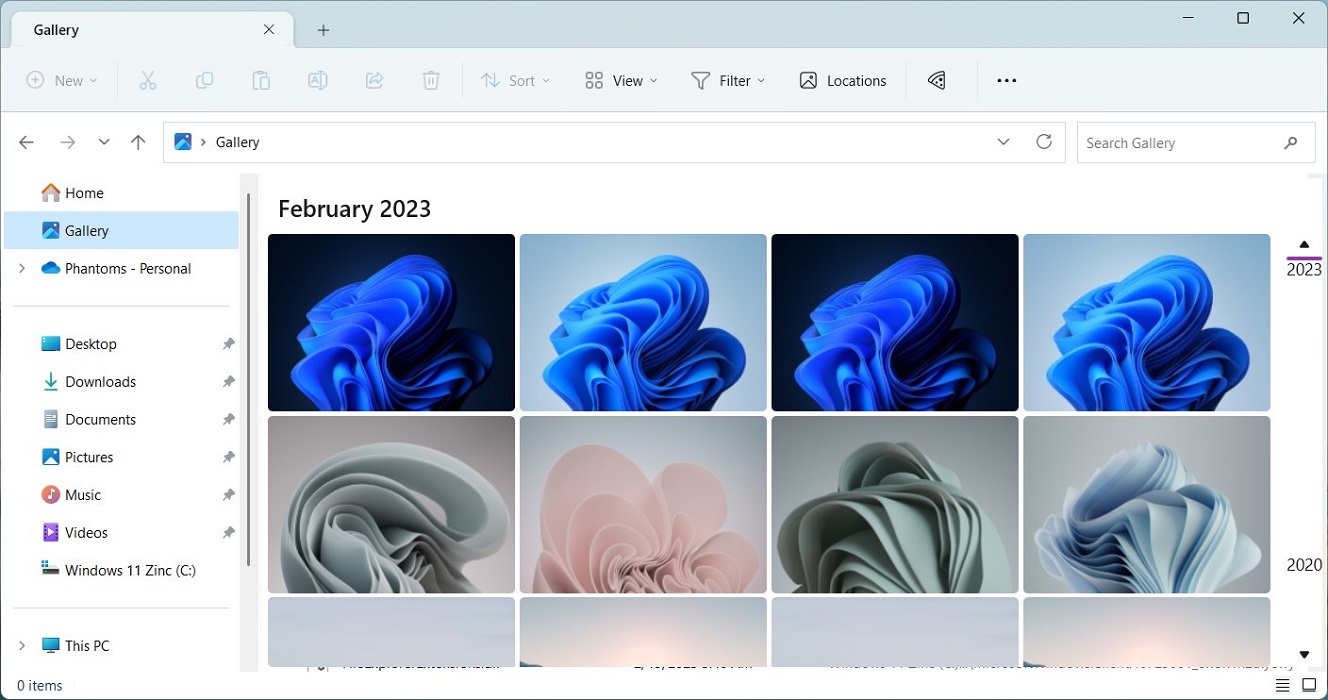
In addition to the UI improvements, the 23H2 update introduces a new Gallery View feature within File Explorer, which allows users to seamlessly view photos and videos in a timeline from various sources such as OneDrive and Phone Link. Furthermore, it incorporates a new Details pane and a streamlined Homepage, integrating with OneDrive and Office files. Overall, the Windows 11 23H2 update completes the modernization of the File Explorer, enhancing the user experience and file management capabilities.
3. Ungroup Taskbar Apps
Microsoft is responding to user feedback by gradually adding requested features to the Windows 11 Taskbar.
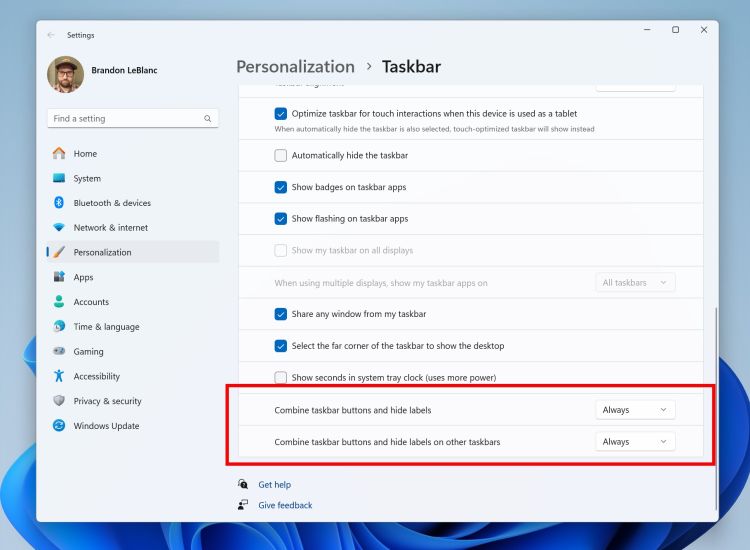
The Windows 11 23H2 update introduces the long-awaited ability to ungroup apps and labels on the Taskbar, allowing users to customize whether they want to combine Taskbar apps or keep them separate. This change is particularly meaningful for power users and is likely to be well-received by those who prefer more control and organization in their Taskbar. Instructions on how to ungroup Taskbar apps on Windows 11 are available in a linked article.
4. Built-in Cloud Backup
In Windows 11's 23H2 release, Microsoft is introducing a native cloud backup tool, leveraging OneDrive.
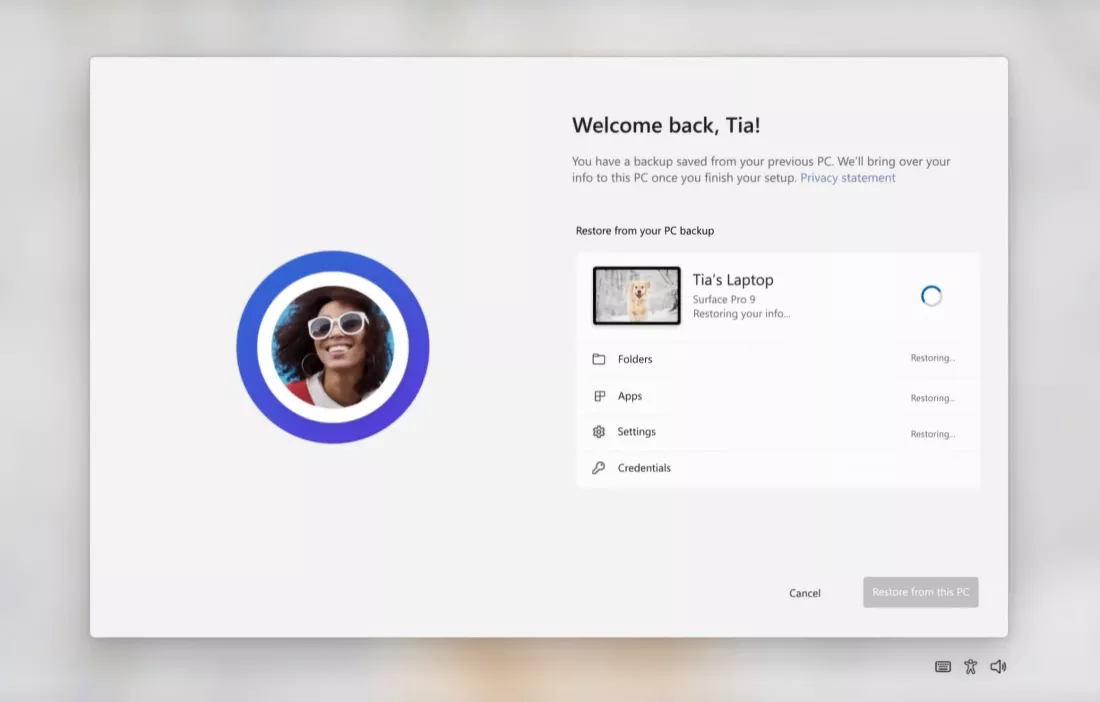
This tool allows users to seamlessly back up their files, settings, preferences, Microsoft Store apps, and more to the cloud. This feature enables easy restoration of personalized settings and apps on a new PC with just a single click, similar to the seamless cloud backups we're accustomed to on Android and iOS devices. It's a convenient and cool addition for Windows 11 users.
5. Advanced Volume Mixer
In the Windows 11 23H2 update, Microsoft is introducing an advanced volume mixer, taking inspiration from the popular Windows 11 app, EarTrumpet.
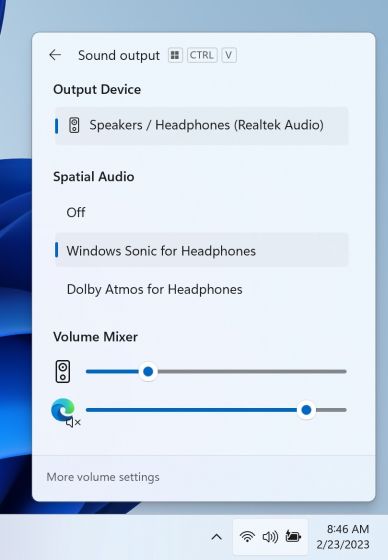
This feature, located within the Quick Settings panel, allows users to control and adjust the volume for specific apps. Users no longer need third-party apps to customize their volume preferences, making it a convenient addition to Windows 11. Kudos to Microsoft for this improvement!
6. RAR, 7Z, Tar.gz File Support
In the Windows 11 23H2 update, Microsoft is addressing a long-standing user request by adding native support for additional archive file formats like RAR, 7Z, Tar.gz, and more. This means users can now easily compress and extract files in these formats directly within Windows 11, eliminating the need for third-party tools like 7-Zip or WinRAR. It's a welcome improvement for file management on the platform.
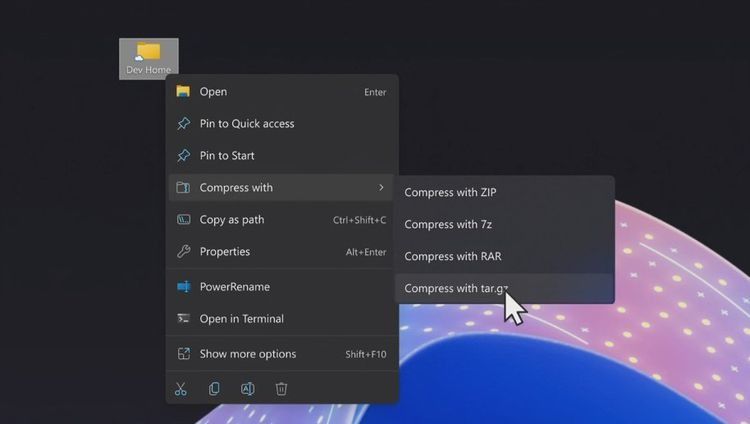
And Windows 11 already supports ZIP out of the box. According to the Windows blog, support for more archive formats like .tar, .tar.gz, .tar.bz2, .tar.zst, .tar.xz, .tgz, .tbz2, .tzst, .txz, .rar, .7z, etc. have been added using the libarchive open-source project.
7. Windows Lighting
The Windows 11 23H2 update introduces a notable feature called Windows Lighting, which offers dynamic lighting customization for gamers.
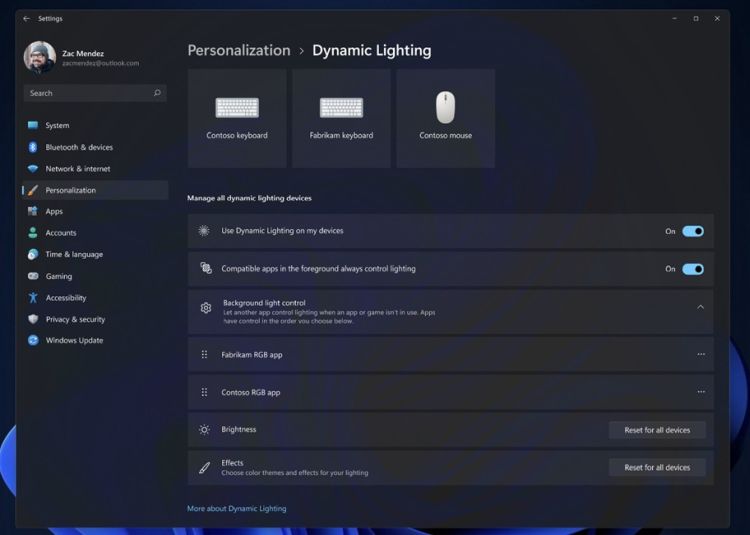
This feature allows users to personalize the RGB lighting on their accessories and peripherals such as keyboards, mice, and headsets. Accessible from the Settings page, Windows Lighting eliminates the need for third-party software to customize RGB lighting, making it a convenient and appealing addition for gamers.
8. Dark Mode in MS Paint
In the Windows 11 23H2 update, Microsoft is fulfilling its promise to introduce a dark mode for Microsoft Paint. Users on the latest Release Preview build can immediately enjoy this feature.
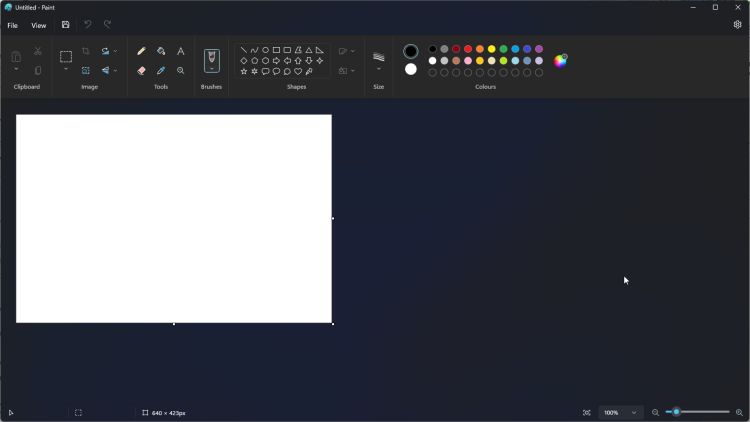
Dark mode enthusiasts will appreciate this addition to Microsoft Paint. Additionally, users will now have a smoother zoom in/out experience while using MS Paint.
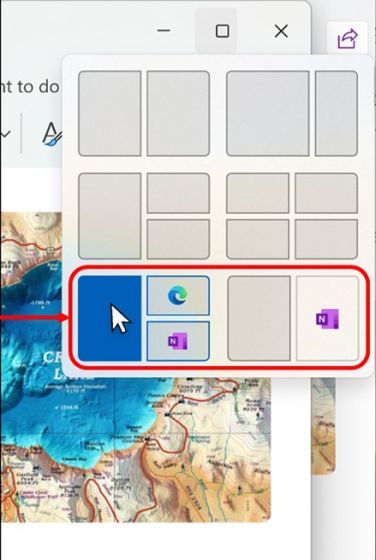
9. Snap Layout Suggestions
At the Microsoft Build 2023 event, Microsoft unveiled a new "Dev Home" app designed specifically for developers to streamline the setup of their development environment. It's highly likely that this new Dev Home app will come pre-installed with the Windows 11 23H2 build.
The Dev Home app offers several developer-friendly features, including the ability to connect your GitHub account, monitor push and merge changes, install apps via winget, add performance-centric widgets, and more. Additionally, it introduces a "Dev Drive" feature that can be formatted as a ReFS partition (Resilient File System), which can be used to create a virtual hard drive for software development purposes. The use of ReFS results in a 30% performance improvement in various operations. This app aims to enhance the developer experience on Windows 11.
Leave a Comment
Thanks for your Comment